

The ship of theseus
The current version of The Ship of Theseus is 0.3.
If you have just downloaded the novel, you will automatically receive the most recent version in your library.
If you have an earlier version and wish to update to the latest for free, you may do so only by contacting customer support using the instructions below. Since Kindle purchases are linked to a user’s Amazon account, you cannot update by deleting and redownloading the ebook, downloading on a new device, or even re-purchasing the ebook. You will only receive the version that was available at your initial purchase.
Please note: once you update your copy, you cannot return to a previous version.
How to update
It is recommended that you use the desktop view for the best experience and be logged in to the Amazon account that is linked to your Kindle library.
1. Go to https://www.amazon.com/gp/help/customer/display.html?nodeId=200127470
or
1. Navigate to Content Library in the main user page
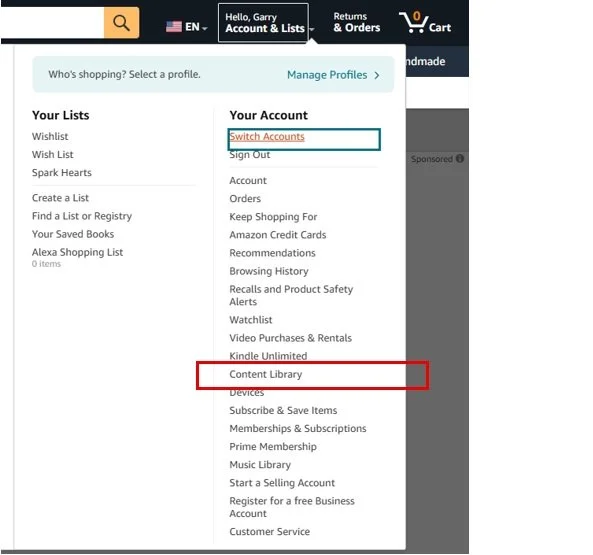
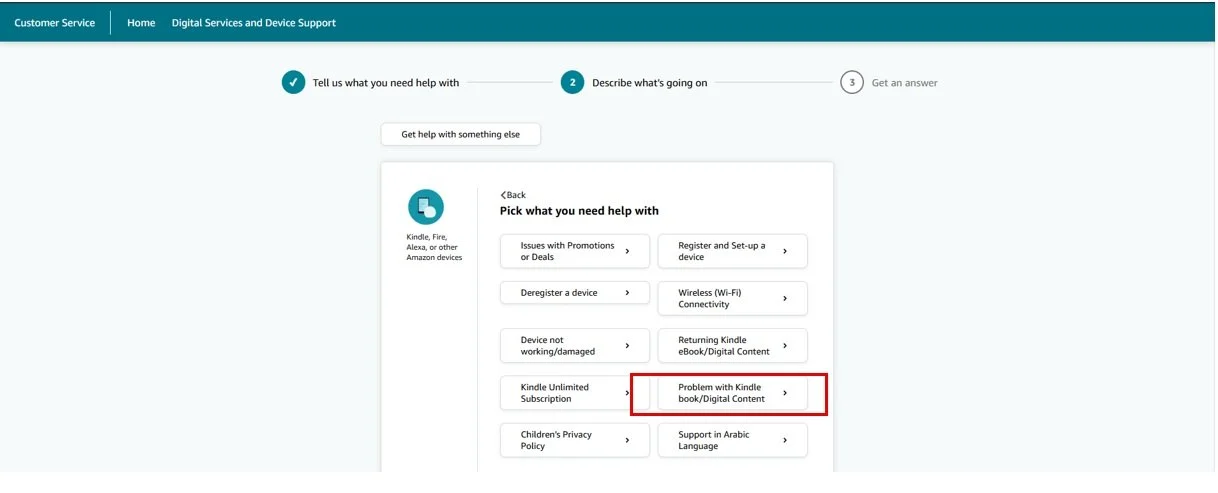
2. Navigate to help with “Problem with Kindle eBook/Digital Content” (see screenshots below).
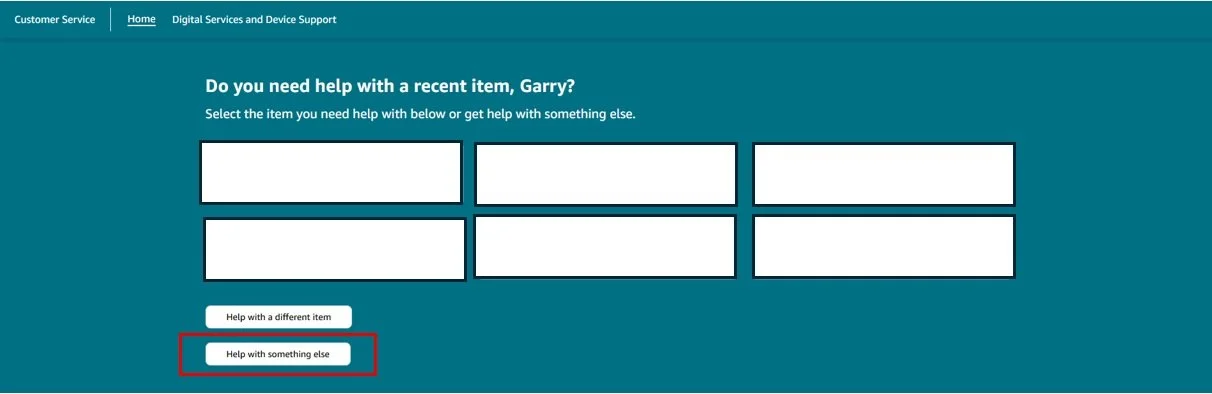
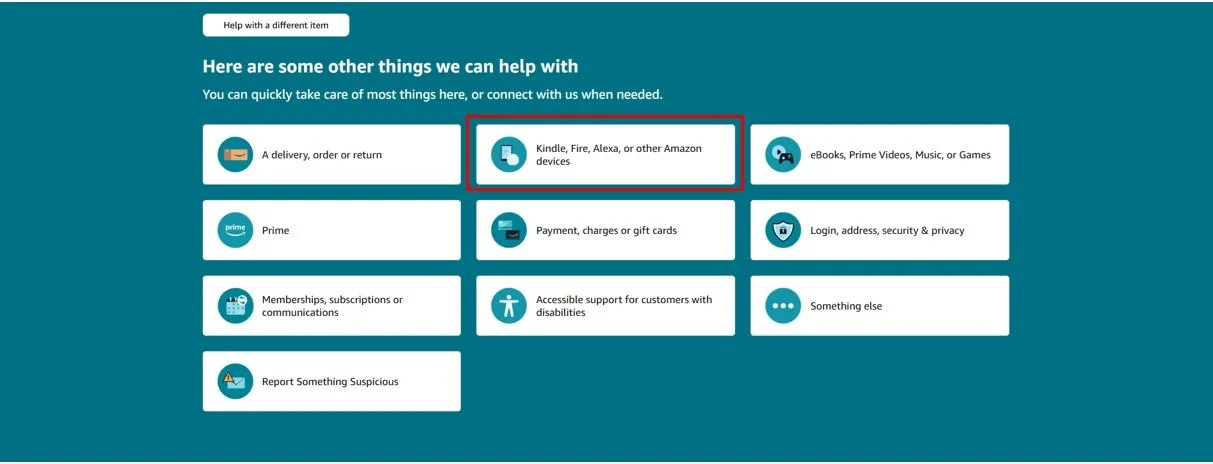
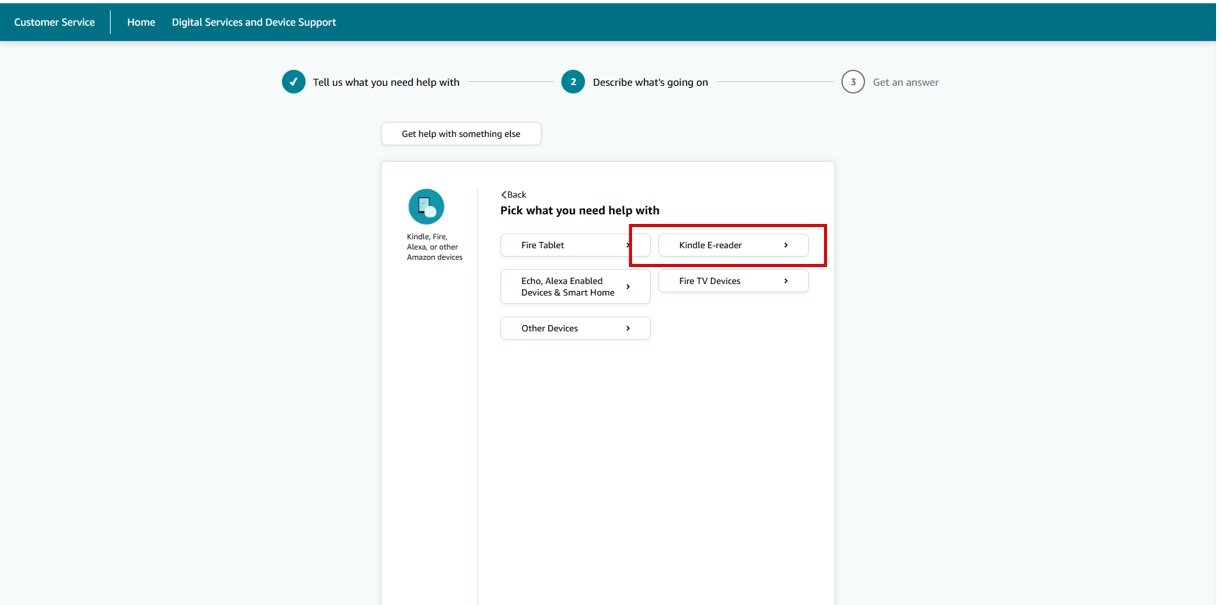
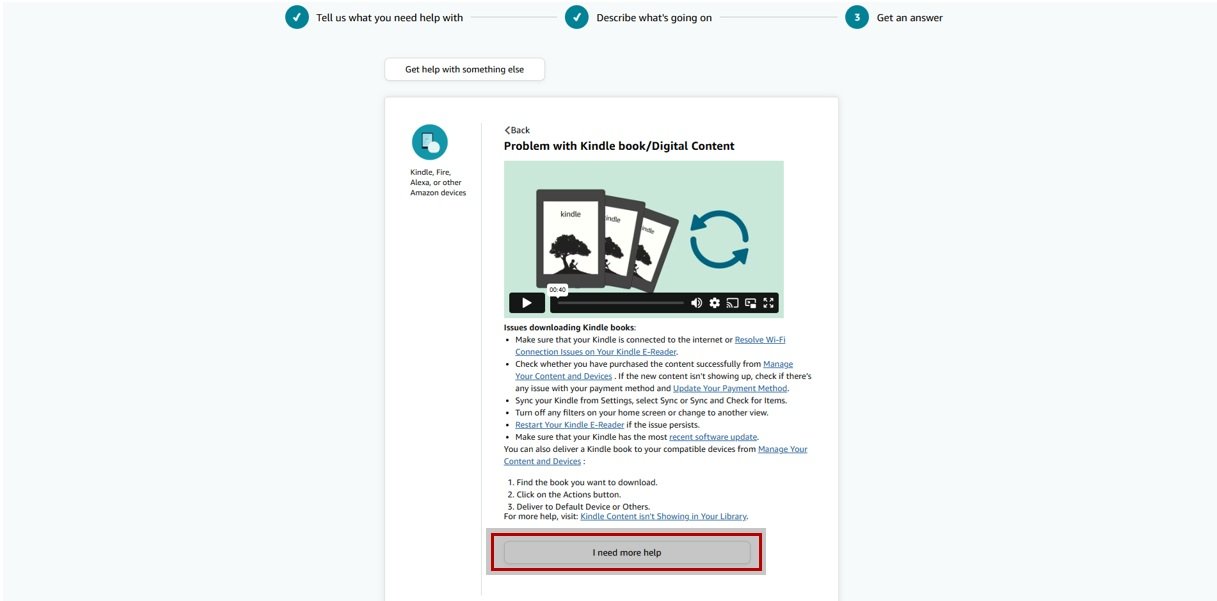
3. Select “I need more help” and then chat with an Amazon customer service associate (recommended).
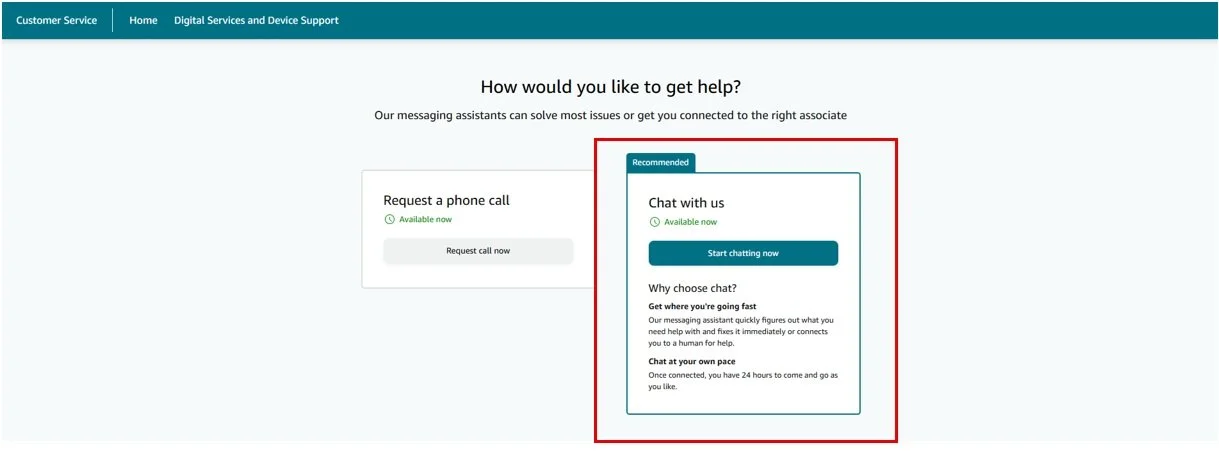
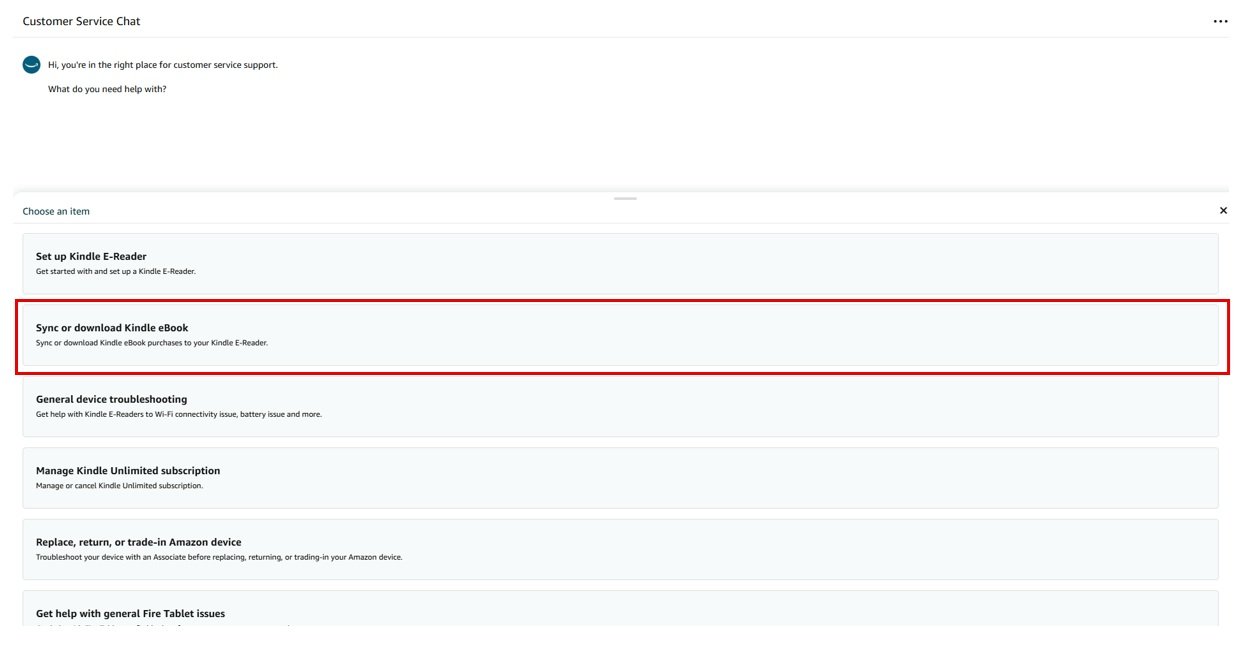
4. Choose “Sync or download Kindle eBook” from the support menu and select the option to chat with someone to help.
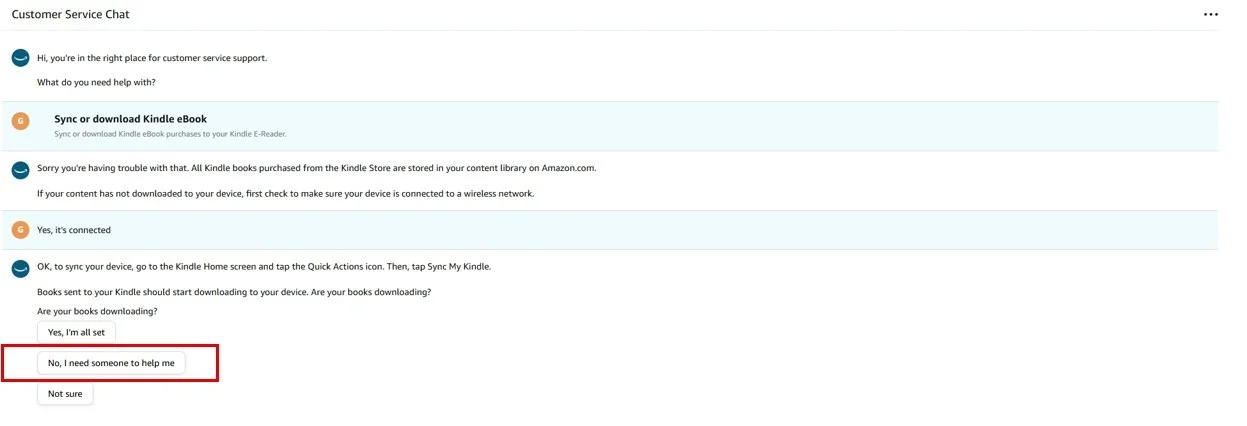
5. Request that the customer service representative manually update your copy of The Ship of Theseus to the latest version. You can use the following prompt to do so:
Hello, I read that there is a new version for one of my eBooks named "The Ship of Theseus" by Garry Harper. I do not have the option to update in my Content Library. Can you please help me update my Kindle copy to the most recent version manually for me?
Your book should then be automatically be updated! Please check the inside cover to make sure it is the latest version.
tips and tricks
If possible, use the desktop version of Amazon for easier navigation.
Your mileage may vary with Amazon customer service. If a customer service representative does not immediately offer a solution to manually update the novel, cancel and start a new request. There should be no need to receive a “ticket” or email; everything can be done automatically through the chat.
Please use the Contact page if you experience any issues updating your copy of the novel.